Python SDK#
| Short Description | Using the EDA Python SDK to provision the network |
| Difficulty | Intermediate |
| Topology Nodes | client11, client12, client13 |
The EDA web client is a great interface to manage your network, but it is not the interface to reach for when you want to automate your interactions with the platform capabilities. In this day and age most platforms and services offer a programmable interface to the users, often in the form of a REST API. EDA also has the REST API that allows you to interact with the platform in a programmable way using any programming language we want!
However, the bare REST API demands a user to venture into creating a REST client, parse and validate the inputs/outputs, manage raw authentication flows, handle errors and deal with raw API requests and responses.
From the user's perspective, a better way to interface with a system in a programmable way would be to use a Software Development Kit (SDK) in a language of their choice that is provided for the platform and abstracts the low level primitives and flows and exposes them as language-native constructs and methods.
This is what you are going to dive into in this activity - using EDA Python SDK to automate platform operations and service provisioning!
1. Objective#
The goal of this exercise is to show you how to leverage the EDA Python SDK to provision your network. We will be using the SDK to generate a number of service abstractions from a JSON file, which represents a list of services that need to be provisioned on our network.
The real life use cases for doing this are migration and automation: imagine how easy a Python SDK would make it to migrate from your old management system (or the lack thereof) to EDA, or how service provisioning can be built into your customer's service portal.
2. Technology explanation#
There are many reasons why you would want to interact with a management system like EDA using a programming language. You may be wondering: "Why would I need an SDK? I can just program API requests in whatever programming language I want!".
While not incorrect, a proper SDK has several advantages over manually constructing REST API requests:
- Authentication is handled automatically, behind the scenes.
- Static typing prevents coding errors, and type hints are a valuable time saver.
- Versioning is built-in: simply upgrade your SDK, and the Python linter will show you which parts of your code need to be updated.
- Object-oriented programming is subjectively more robust than procedural programming, but requires a lot of work and maintenance. An SDK automates this.
EDA Python SDK provides a pythonic way to interface with the platform - both for its native applications and any 3rd party apps you may have added to it as well. It is a dynamically generated kit that gives you the language-native interface to every capability the platform has to offer.
3. Tasks#
The tasks in this activity will take you through everything required to generate and use the Python SDK. Starting from a simple Banner resource creation in EDA that is deployed to all the nodes to a more challenging task of provisioning the network services that allow hosts to communicate with each other.
3.1 Generate the SDK#
The dynamic nature of the EDA API means that the SDK needs to be generated from a live platform to ensure that the bindings are generated for the applications installed on your particular platform.
Let's start by generating the SDK. SSH into the SRExperts hackathon machine and execute the following command:
Warning
Generating the SDK takes a while; allow up to 2 minutes for the command to finish.
Expected execution output
nokia@2:~/SReXperts$ bash ~/SReXperts/activities/eda/python-sdk/generate_eda_sdk.sh
== Discovering toolbox pod ==
Toolbox pod name: 'eda-toolbox-7698bcb4fb-nzwbk'
== Generating SDK (this takes a minute) ==
Generated python SDK into file eda-python-sdk-generated-2026-05-07-18-17-30.tgz
eda-python-sdk-generated-2026-05-07-18-17-30.tgz
== Copying archive from toolbox pod ==
tar: Removing leading `/' from member names
== Removing any previous eda-python-sdk extract ==
== Extracting SDK into /home/nokia/eda-sdk-exercise ==
SDK location: /home/nokia/eda-sdk-exercise/eda-python-sdk
== Patching SDK ==
patched /home/nokia/eda-sdk-exercise/eda-python-sdk/edasdk/api_client.py
This creates a folder ~/eda-sdk-exercise for the nokia user, which you can use for the remainder of this exercise.
We suggest you use your favorite code editor and its Remote-SSH capabilities and open the ~/eda-sdk-exercise folder as a remote folder of your workspace. This will allow you to enjoy the benefits of Python type hints and give the best user experience.
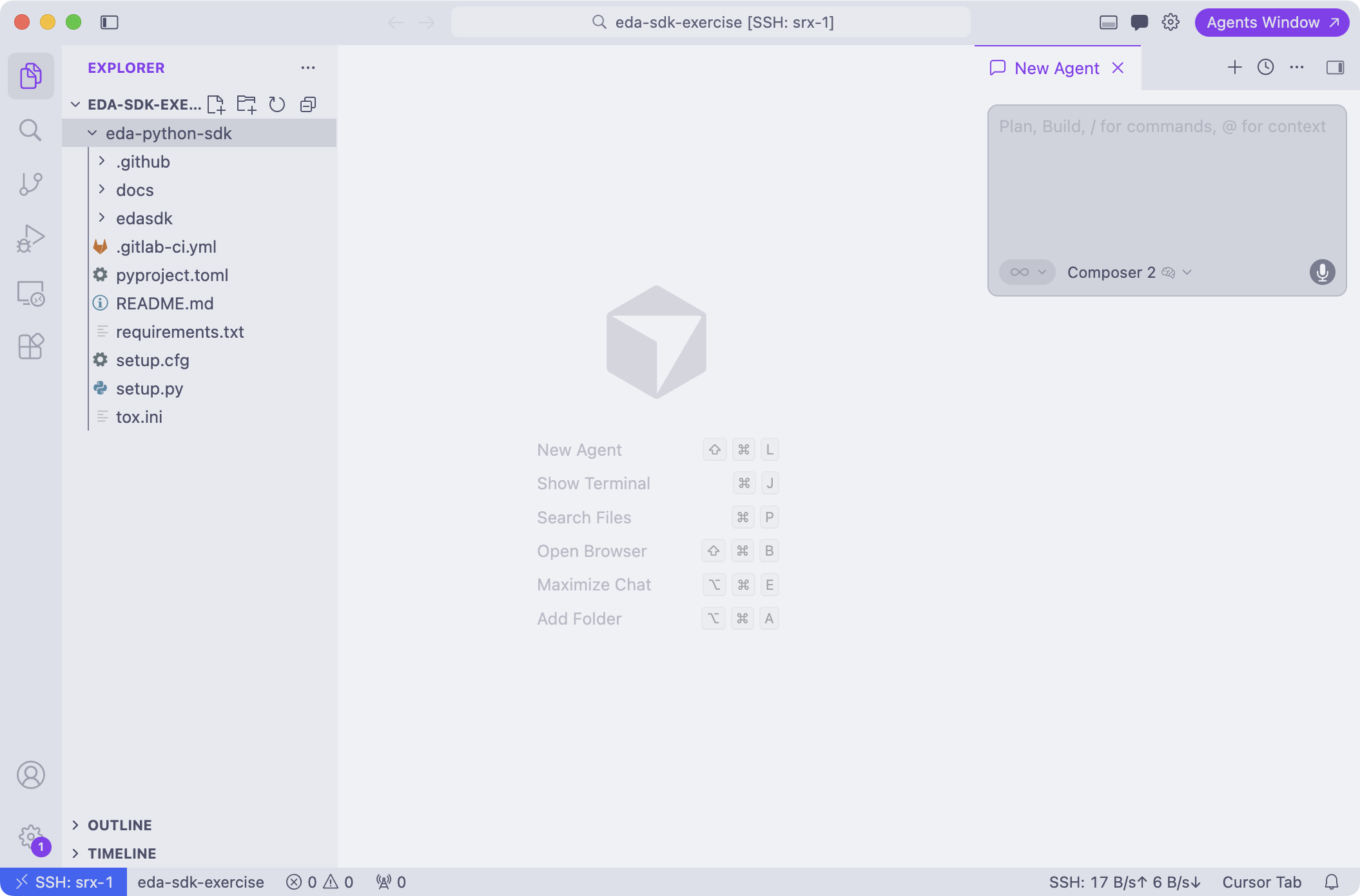
3.2 Setting up our Python project#
The eda-sdk-exercise directory in the root of the hackathon VM right now lists only the eda-python-sdk child directory that contains the generated SDK. Let's initialize the new Python project using uv, and add the SDK as a dependency of that new project.
Example execution
nokia@2:~/eda-sdk-exercise$ uv init
Initialized project `eda-sdk-exercise`
nokia@2:~/eda-sdk-exercise$ uv add --editable ./eda-python-sdk
Using CPython 3.12.3 interpreter at: /usr/bin/python3.12
Creating virtual environment at: .venv
Added `eda-python-sdk` to workspace members
Resolved 28 packages in 347ms
    Built edasdk @ file:///home/nokia/eda-sdk-exercise/eda-python-sdk
Prepared 3 packages in 2.53s
Installed 27 packages in 84ms
+ aiofiles==25.1.0
 ...[SNIPPED]...
+ urllib3==2.6.3
nokia@2:~/eda-sdk-exercise$ uv sync
Resolved 28 packages in 2ms
Audited 27 packages in 1ms
If you're using Visual Studio Code or a derivative like Cursor, we recommend installing the Python plugin.
3.3 Secret stuff#
EDA uses the standard OAuth 2.0 protocol for authentication, and in particular the client credentials grant type is being used for the non-browser applications, like scripts. These authentication flow requires a client_secret to be provided by the application alongside the user credentials. The official documentation explains how to retrieve the client secret from the EDA platform and even provide a shell script that fetches it for you.
You will find this script in the ~/SReXperts/activities/eda/python-sdk/get_client_secret.sh file. Execute it by running the following command:
and make a note of the provided client_secret as we will need it in the next task.
3.4 First contact#
When you initialized your new Python project, a main.py file was created. We will use this file to write our automation program.
Start by importing the SDK by adding the following code to the top of main.py.
You may get a warning in your editor that edasdk could not be resolved: even though your program will run just fine when you execute uv run main.py, you can add the following two lines to the bottom of the pyproject.toml file to make the error disappear (and to get type hinting working).
After adding this, reload your editor or restart the Python language server.
Next up, create a function configure_sdk() that uses the Configuration and Authenticator classes from the SDK to establish a connection to EDA, and call the function from the main() function.
Solutions
Code solutions for the different subtasks are always provided and hidden by default, as in the example below. Try finding the solution yourself first, but don't hesitate to take a peek if you're stuck!
The complete solution is included at the bottom of this exercise.
Example solution
from edasdk import Configuration, Authenticator

# replace the string with the client secret you retrieved in the previous task
SECRET = "4URcQIsrODvGY7UiJ6OMvguSvTnIc4Oo"

def configure_sdk():
    configuration = Configuration(
        host = "https://[X].eda.srexperts.net" # replace with your EDA instance URL
    )

    authenticator = Authenticator(SECRET, configuration = configuration)
    authenticator.login(userid = "admin", password = "SReXperts2026!")

    return configuration, authenticator

def main():
    configuration, authenticator = configure_sdk()
    print("Hello from eda-sdk-exercise!")

    print(f"Retrieved access token: {configuration.access_token}")


if __name__ == "__main__":
    main()
You'll know that everything is working when you get no errors when running uv run main.py
Example execution
Look how simple it was to authenticate against EDA in a pure python environment. No pesky raw HTTP verbs or JSON parsing required, the SDK takes care of all the details for you.
3.5 API and Clients#
The full API surface of EDA can be split in two main categories:
- Core API: the API that is used to manage the core EDA components, like nodes, transactions, alarms, etc.
- Applications API: the dynamic API that is used to manage individual applications and their resources. Think of managing interfaces, fabrics, qos, prometheus exporters, etc. This API layer is dynamic because it grows and shrinks based on the applications installed on the platform - you install a new application, and a new API is generated for it.
These distinct APIs have their own API clients, for which SDK provides a dedicated Python class. Since we will first interact with the Apps API, lets see how we can instantiate an instance of one:
from edasdk import (
    Configuration,
    Authenticator,
    ApiClient,
    AppsApi,
)

# replace the SECRET with the client secret you retrieved in the previous task
SECRET = "4URcQIsrODvGY7UiJ6OMvguSvTnIc4Oo"


def configure_sdk():
    configuration = Configuration(host="https://[X].eda.srexperts.net")

    authenticator = Authenticator(SECRET, configuration=configuration)
    authenticator.login(userid="admin", password="SReXperts2026!")

    return configuration, authenticator


def list_toponodes(apps_api_client: AppsApi):
    api_response = apps_api_client.list_core_eda_nokia_com_v1_toponodes()
    toponodes = api_response.items

    if not toponodes:
        print("No toponodes found")
        return

    print(f"Found {len(toponodes)} toponodes:")
    for node in toponodes:
        print(f"  - {node.metadata.name}")


def main():
    print("Hello from eda-sdk-exercise!")
    configuration, authenticator = configure_sdk()
    api_client = ApiClient(configuration)
    api_client.token_refresher = authenticator

    apps_api_client = AppsApi(api_client)
    print(f"{type(apps_api_client).__name__} -> {apps_api_client.api_client.configuration.host}")


if __name__ == "__main__":
    main()
First we create a generic OpenAPI client - ApiClient - and attach a token refresher to it so that the client can automatically refresh the access token when it expires. Then we create an instance of the AppsApi client that knows how to talk to the Applications API and has the relevant methods to interact with the resources it manages.
3.6 Data retrieval#
With the API client in hand, let's retrieve some data! Try to find some EDA resources you want to retrieve and create the retrieve_data() function to retrieve them. The example solution will retrieve the TopoNode resources - which represent all nodes currently managed by EDA.
3.6.1 Classes, methods, and attributes#
You can leverage the code completions (remember to install the Python extension in your editor) to make the IDE help you find the relevant classes, methods, and attributes to use. The classes are constructed after the resources group/version/kind hierarchy, so you soon will get the hang of it.
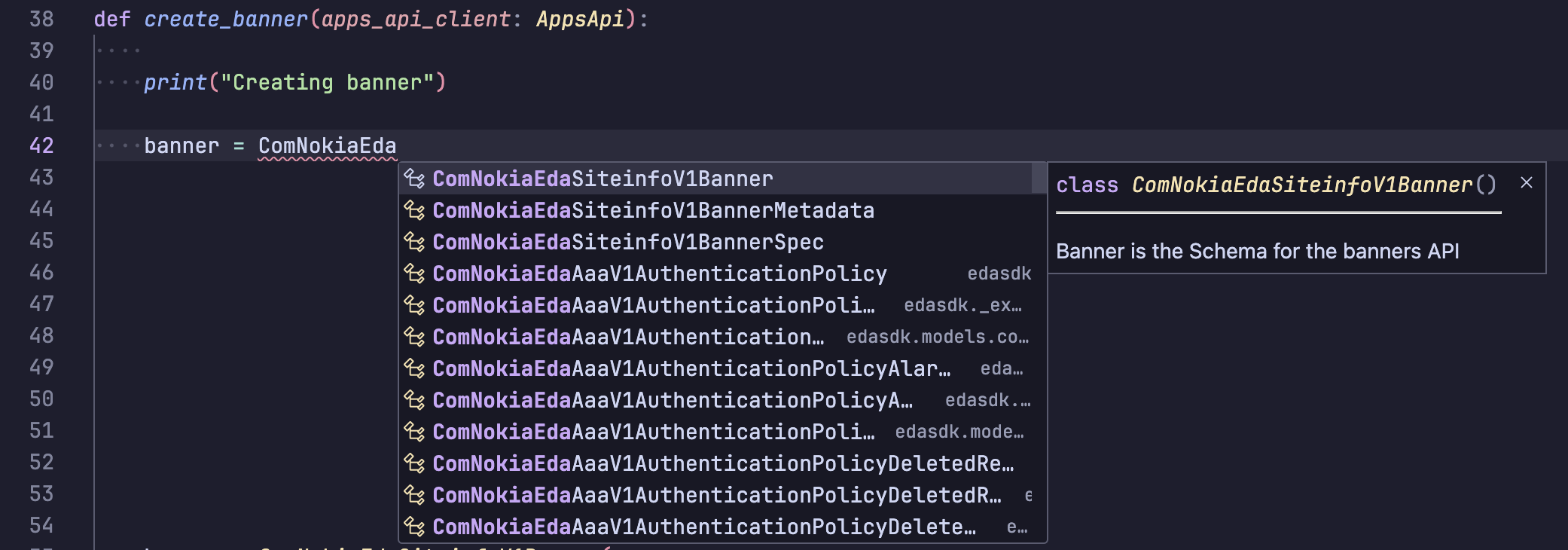
The SDK is very large, and it may take a while to generate code completions.
You can perform a file search in theeda-python-sdk/edasdk/api/apps_api.pyfile, or use the following syntax.
Operations used in this exercise:
listcreate
Syntax: apps_api_client.[operation]_[group]_[version]_[kind]().
You can look up these parameters in the UI. For example, the parameters for TopoNode are:
- group:
core.eda.nokia.com-> becomescore_eda_nokia_com - version:
v1 - kind:
toponodes
So the method to list toponodes is list_core_eda_nokia_com_v1_toponodes() called on the apps_api_client instance.
The task is completed successfully if you manage to retrieve 5 nodes.
Example execution
Example solution
from edasdk import (
    Configuration,
    Authenticator,
    ApiClient,
    AppsApi,
)

# snipped

def list_toponodes(apps_api_client: AppsApi):
    api_response = apps_api_client.list_core_eda_nokia_com_v1_toponodes()
    toponodes = api_response.items

    if not toponodes:
        print("No toponodes found")
        return

    print(f"Found {len(toponodes)} toponodes:")
    for node in toponodes:
        print(f"  - {node.metadata.name}")

def main():
    print("Hello from eda-sdk-exercise!")
    configuration, authenticator = configure_sdk()
    api_client = ApiClient(configuration)
    api_client.token_refresher = authenticator

    apps_api_client = AppsApi(api_client)
    print(f"{type(apps_api_client).__name__} -> {apps_api_client.api_client.configuration.host}")

    list_toponodes(apps_api_client)


if __name__ == "__main__":
    main()
3.7 Creating a banner#
Next up, let's create something using the SDK instead of fiddling in the EDA UI! Every good exercise needs a use case: to remind our network engineers that there is a world outside, we will automatically update the message of the day to display the current weather whenever one of them logs into a node.
We're going to write the function create_banner which deploys a banner message on all the nodes in the network, by simply creating a Banner resource in EDA with the desired message.
Since the API is fully typed, you will have to import the classes for the resource, its metadata, and spec. For example, for the TopoNode resource, your imports will look like this:
from edasdk import (
    # existing imports...
    ComNokiaEdaSiteinfoV1Banner,
    ComNokiaEdaSiteinfoV1BannerMetadata,
    ComNokiaEdaSiteinfoV1BannerSpec,
)
Here is a list of subtasks:
- Use the
ComNokiaEdaSiteinfoV1Banner,ComNokiaEdaSiteinfoV1BannerMetadata, andComNokiaEdaSiteinfoV1BannerSpecclasses in the SDK to construct a banner resource object. - Similar to the previous exercise, use the
createoperation to create aBanner. You will notice that the create operation requires a namespace: choose "eda" as namespace as this is the default namespace available on all hackathon instances.
Tip
Try creating a Banner via the GUI first to see how these classes work together to create a Banner resource.
The task is completed if you manage to successfully deploy a Banner onto your nodes. Of course, you will be able to see this resource in the GUI as well.
Example execution
Hello from eda-sdk-exercise!
Found 5 toponodes:
- g99-spine11
- g99-leaf11
- g99-leaf12
- g99-leaf13
- g99-spine12
Creating banner
Try logging into one of your nodes!
❯ ssh clab-srexperts-leaf11
Warning: Permanently added 'clab-srexperts-leaf11' (ED25519) to the list of known hosts.
I used the Python SDK to create this banner!
Sunny skies with a chance of automation in the afternoon.
Loading environment configuration file(s): ['/etc/opt/srlinux/srlinux.rc', '/home/admin/.srlinuxrc']
Welcome to the Nokia SR Linux CLI.

--{ running }--[  ]--
A:admin@g99-leaf11#
Example solution
from edasdk import (
    Configuration,
    Authenticator,
    ApiClient,
    AppsApi,
    ComNokiaEdaSiteinfoV1Banner,
    ComNokiaEdaSiteinfoV1BannerMetadata,
    ComNokiaEdaSiteinfoV1BannerSpec,
)

SECRET = "ntuAG9...L3fIbT"
NAMESPACE = "eda"

# snipped

def create_banner(apps_api_client: AppsApi):

    print("Creating banner")

    banner = ComNokiaEdaSiteinfoV1Banner(
        apiVersion="siteinfo.eda.nokia.com/v1",
        kind="Banner",
        metadata=ComNokiaEdaSiteinfoV1BannerMetadata(
            name="my-banner", namespace=NAMESPACE
        ),
        spec=ComNokiaEdaSiteinfoV1BannerSpec(
            loginBanner="I used the Python SDK to create this banner!",
            motd="Sunny skies with a chance of automation in the afternoon.",
            nodeSelectors=["role=hackathon-infra"],
        ),
    )

    apps_api_client.create_siteinfo_eda_nokia_com_v1_namespace_banners("eda", banner)

def main():
    print("Hello from eda-sdk-exercise!")
    configuration, authenticator = configure_sdk()
    api_client = ApiClient(configuration)
    api_client.token_refresher = authenticator

    apps_api_client = AppsApi(api_client)
    print(
        f"{type(apps_api_client).__name__} -> {apps_api_client.api_client.configuration.host}"
    )

    list_toponodes(apps_api_client)
    create_banner(apps_api_client)

if __name__ == "__main__":
    main()
3.8 Checkpoint#
You have successfully retrieved data from EDA, and used the SDK to create EDA resources yourself, showcasing the benefits of an SDK for common automation tasks. With this knowledge under your belt, other operations such as retrieving a single resource and deleting resources should be a piece of cake.
Complete example solution
from edasdk import (
    Configuration,
    Authenticator,
    ApiClient,
    AppsApi,
    ComNokiaEdaSiteinfoV1Banner,
    ComNokiaEdaSiteinfoV1BannerMetadata,
    ComNokiaEdaSiteinfoV1BannerSpec,
)

# replace the string with the client secret you retrieved in the previous task
SECRET = "4URcQIsrODvGY7UiJ6OMvguSvTnIc4Oo"
NAMESPACE = "eda"


def configure_sdk():
    configuration = Configuration(host="https://[X].eda.srexperts.net")

    authenticator = Authenticator(SECRET, configuration=configuration)
    authenticator.login(userid="admin", password="SReXperts2026!")

    return configuration, authenticator


def list_toponodes(apps_api_client: AppsApi):
    api_response = apps_api_client.list_core_eda_nokia_com_v1_toponodes()
    toponodes = api_response.items

    if not toponodes:
        print("No toponodes found")
        return

    print(f"Found {len(toponodes)} toponodes:")
    for node in toponodes:
        print(f"  - {node.metadata.name}")


def create_banner(apps_api_client: AppsApi):

    print("Creating banner")

    banner = ComNokiaEdaSiteinfoV1Banner(
        apiVersion="siteinfo.eda.nokia.com/v1",
        kind="Banner",
        metadata=ComNokiaEdaSiteinfoV1BannerMetadata(
            name="my-banner", namespace=NAMESPACE
        ),
        spec=ComNokiaEdaSiteinfoV1BannerSpec(
            loginBanner="I used the Python SDK to create this banner!",
            motd="Sunny skies with a chance of automation in the afternoon.",
            nodeSelectors=["role=hackathon-infra"],
        ),
    )

    apps_api_client.create_siteinfo_eda_nokia_com_v1_namespace_banners("eda", banner)


def main():
    print("Hello from eda-sdk-exercise!")
    configuration, authenticator = configure_sdk()
    api_client = ApiClient(configuration)
    api_client.token_refresher = authenticator

    apps_api_client = AppsApi(api_client)
    print(
        f"{type(apps_api_client).__name__} -> {apps_api_client.api_client.configuration.host}"
    )

    list_toponodes(apps_api_client)
    create_banner(apps_api_client)


if __name__ == "__main__":
    main()
If you have other things on your learning list, feel free to continue with another exercise for now.
Alert
Please rate the exercise before you move on!
If you haven't had enough of automating, try solving problems that you have been thinking of automating over the last couple of months!
Lack inspiration? Below is a more complex task that is sure to keep you busy for a while.
3.9 Looking for more#
Let's take on a real challenge! You may have already tried out the exercises on Bridge domains, Routers, and Virtual Networks. If not, they are great exercises to learn about how network connectivity is deployed using EDA.
Disclaimer
The author of those exercises is the same as this one, so take the "great" part of this statement with a grain of salt.
Take a look at the JSON file below: it represents our legacy management system that has a complete inventory of the services that are used by our customers. Coincidentally, it matches the virtual network we configured in the Virtual Networks exercise.
3.9.1 Inventory JSON#
{
  "interface-groups": {
    "hypervisor": {
      "interfaces": [
        "lag1",
        "leaf11-client11",
        "leaf13-client13"
      ]
    }
  },
  "macvrfs": {
    "subnet-1300": {
      "vlan": 1300,
      "gateway-ipv4": "10.30.0.1/24",
      "gateway-ipv6": "fd00:fdfd:0:3000::1/64",
      "interface-groups": [
        "hypervisor"
      ]
    },
    "subnet-1312": {
      "vlan": 1312,
      "gateway-ipv4": "10.30.2.1/24",
      "gateway-ipv6": "fd00:fdfd:0:3002::1/64",
      "interface-groups": [
        "hypervisor"
      ]
    }
  },
  "routed-interfaces": {
    "client11": {
      "interface": "leaf11-client11",
      "vlan": 1311,
      "gateway-ipv4": "10.30.1.1/24",
      "gateway-ipv6": "fd00:fdfd:0:3001::1/64"
    },
    "client13": {
      "interface": "leaf13-client13",
      "vlan": 1313,
      "gateway-ipv4": "10.30.3.1/24",
      "gateway-ipv6": "fd00:fdfd:0:3003::1/64"
    }
  }
}
Copy this JSON into a file in your SDK exercise directory!
You can either start hacking away at it, or you can follow the Lego-style instructions below, whichever you prefer!
In either case, the exercise is successfully completed if all ping commands listed here succeed.
Abstractions vs ... less abstract abstractions
The Virtual Network that we created in the VNET exercise can of course be created through the SDK as well. However, to make it easier to split this big task into subtasks, the steps below and the final solution will create the BridgeDomain, Router, VLAN, RoutedInterface, and IrbInterface resources directly, without making use of the VirtualNetwork abstraction.
Warning
Delete any resource you created as part of the Bridge domains, Routers, or Virtual networks exercise before you start this exercise.
3.10 Skeletons in the closet#
To keep everything organized, we will create a new Python file for this part of the exercise. We also provide a skeleton file which you can use to get started.
inventory.py skeleton Python file
import json

from edasdk import ApiClient, AppsApi, Authenticator, Configuration, K8SPatchOp

# imports for the different exercises will go here

# replace the string with the secret you retrieved in the previous task
SECRET = "ntuAG9...L3fIbT"
NAMESPACE = "eda"
INVENTORY_FILE = "inventory.json"

def main():
    print("Hello from inventory exercise!")

    print(f"\n== Parsing data file {INVENTORY_FILE} ==")
    inventory = parse_inventory_data()

    print("\n== Configuring SDK ==")
    configuration, authenticator = configure_sdk()

    print("\n== Labeling interfaces ==")
    configure_labels(configuration, authenticator, inventory)

    print("\n== Creating bridge domains ==")
    create_bridge_domains(configuration, authenticator, inventory)

    print("\n== Creating the VLANs ==")
    create_vlans(configuration, authenticator, inventory)

    print("\n== Create the Router ==")
    create_router(configuration, authenticator)

    print("\n== Creating the IRBs ==")
    create_irbs(configuration, authenticator, inventory)

    print("\n== Creating routed interfaces ==")
    create_routed_interfaces(configuration, authenticator, inventory)

def configure_labels(configuration, authenticator, inventory):
    with ApiClient(configuration) as api_client:
        api_client.token_refresher = authenticator
        api_instance = AppsApi(api_client)

        raise NotImplementedError("Not implemented yet!!")

def create_bridge_domains(configuration, authenticator, inventory):
    with ApiClient(configuration) as api_client:
        api_client.token_refresher = authenticator
        api_instance = AppsApi(api_client)

        raise NotImplementedError("Not implemented yet!!")

def create_vlans(configuration, authenticator, inventory):
    with ApiClient(configuration) as api_client:
        api_client.token_refresher = authenticator
        api_instance = AppsApi(api_client)

        raise NotImplementedError("Not implemented yet!!")

def create_router(configuration, authenticator):
    with ApiClient(configuration) as api_client:
        api_client.token_refresher = authenticator
        api_instance = AppsApi(api_client)

        raise NotImplementedError("Not implemented yet!!")

def create_irbs(configuration, authenticator, inventory):
    with ApiClient(configuration) as api_client:
        api_client.token_refresher = authenticator
        api_instance = AppsApi(api_client)

        raise NotImplementedError("Not implemented yet!!")

def create_routed_interfaces(configuration, authenticator, inventory):
    with ApiClient(configuration) as api_client:
        api_client.token_refresher = authenticator
        api_instance = AppsApi(api_client)

        raise NotImplementedError("Not implemented yet!!")

def parse_inventory_data():
    with open(INVENTORY_FILE, "r") as file:
        data = json.load(file)

    print("Inventory details:")
    print(f"  - Interface groups ({len(data['interface-groups'])}): {", ".join(data['interface-groups'].keys())}")
    print(f"  - Macvrfs ({len(data['macvrfs'])}): {", ".join(data['macvrfs'].keys())}")
    print(f"  - Routed interfaces: ({len(data['routed-interfaces'])}): {", ".join(data['routed-interfaces'].keys())}")

    return data

def configure_sdk():
    configuration = Configuration(
        host = "https://[X].eda.srexperts.net"
    )

    authenticator = Authenticator(SECRET, configuration = configuration)
    authenticator.login(userid = "admin", password = "***")

    return configuration, authenticator

if __name__ == "__main__":
    main()
3.10.1 Hints#
You may need one of these hints throughout the remainder of the exercise: they are related to the way the SDK interacts with Kubernetes, and are not EDA-specific.
BEWARE: some of these contain spoilers!
How to construct a K8SPatchOp
The following code adds a label with key my-label and value my-label-value.
The x-permissive parameter instructs the SDK to succeed gracefully if an add operation is called for a label that already exists, or a delete operation is called for a label that does not exist.
3.11 Labeling interfaces#
In this task, we will focus on the labels section of the JSON file. Loop over all labels (there is only one), then tag each interface with that label. Follow the convention SDKLabel = hypervisor
Here are some subtasks:
- Loop over all labels in the
labelssection of the JSON - For every listed label, loop over its
Interfaces - For every
Interface, patch it to add the label- Start with the first interface only, or you will be reverting a lot!
To be successful, all 3 interfaces will now have the label SDKLabel = hypervisor
Example execution
❯ uv run inventory.py
Hello from inventory exercise!

== Parsing data file inventory.json ==
Inventory details:
- Interface groups (1): hypervisor
- Macvrfs (2): subnet-1300, subnet-1312
- Routed interfaces: (2): client11, client13

== Configuring SDK ==

== Labeling interfaces ==
Labeling interface lag1 with SDKLabel='hypervisor'
Labeling interface leaf11-client11 with SDKLabel='hypervisor'
Labeling interface leaf13-client13 with SDKLabel='hypervisor'
Example solution
from edasdk import Configuration, Authenticator, ApiClient, AppsApi, K8SPatchOp

...[SNIPPED]...

def configure_labels(configuration, authenticator, inventory):
    with ApiClient(configuration) as api_client:
        api_client.token_refresher = authenticator
        api_instance = AppsApi(api_client)

        for group_name, group in inventory["interface-groups"].items():
            for interface in group["interfaces"]:
                print(f"Labeling interface {interface} with SDKLabel={group_name!r}")

                # create the patch operation
                patch_op = K8SPatchOp.from_dict(
                    {
                        "op": "add",
                        "path": f"/metadata/labels/SDKLabel",
                        "value": group_name,
                        "x-permissive": True,
                    }
                )

                # removes linter error below
                assert patch_op is not None

                # patch the interface with the new label
                api_instance.patch_interfaces_eda_nokia_com_v1_namespace_interfaces(
                    namespace=NAMESPACE,
                    name=interface,
                    k8_s_patch_op=[patch_op],
                )
3.12 Creating bridge domains#
Next up, let's create the BridgeDomain resources. They require virtually no configuration, so this should be easy!
Here are some subtasks:
- Loop over all items in the
macvrfssection of the JSON. - For each MAC-VRF listed there, create a
BridgeDomain. No need to think about the VLAN or interfaces that belong to it just yet; that will be handled in the next section.
Example execution
Example solution
from edasdk import (
    ComNokiaEdaServicesV2BridgeDomain,
    ComNokiaEdaServicesV2BridgeDomainMetadata,
    ComNokiaEdaServicesV2BridgeDomainSpec,
)

...[SNIPPED]...

def create_bridge_domains(configuration, authenticator, inventory):
    with ApiClient(configuration) as api_client:
        api_client.token_refresher = authenticator
        api_instance = AppsApi(api_client)

        for macvrf_name in inventory["macvrfs"].keys():
            print(f"Creating bridge domain for macvrf {macvrf_name}")

            # assemble the bridge domain resource
            bridge_domain = ComNokiaEdaServicesV2BridgeDomain(
                apiVersion="services.eda.nokia.com/v2",
                kind="BridgeDomain",
                metadata=ComNokiaEdaServicesV2BridgeDomainMetadata(
                    name=macvrf_name,
                    namespace=NAMESPACE
                ),
                spec=ComNokiaEdaServicesV2BridgeDomainSpec(
                    type="EVPNVXLAN"
                )
            )

            # create the bridge domain
            api_instance.create_services_eda_nokia_com_v2_namespace_bridgedomains(
                NAMESPACE,
                bridge_domain
            )
3.13 Creating the VLANs#
Let's attach the interfaces we created in this step to both BridgeDomains.
Here are some subtasks:
- Loop over all items in the
macvrfssection of the JSON. - For each MAC-VRF listed there, create a
VLANthat selects all interfaces with a label in theinterface-groupslist. Attach theVLANresource to the correspondingBridgeDomainusing the right VLAN ID.
Example execution
Example solution
from edasdk import (
    ComNokiaEdaServicesV2VLAN,
    ComNokiaEdaServicesV2VLANMetadata,
    ComNokiaEdaServicesV2VLANSpec,
)

...[SNIPPED]...

def create_vlans(configuration, authenticator, inventory):
    with ApiClient(configuration) as api_client:
        api_client.token_refresher = authenticator
        api_instance = AppsApi(api_client)

        for mac_vrf_name, mac_vrf in inventory["macvrfs"].items():
            print(f"Creating VLAN {mac_vrf["vlan"]} for bridge domain {mac_vrf_name}")

            # assemble the VLAN resource
            vlan = ComNokiaEdaServicesV2VLAN(
                apiVersion="services.eda.nokia.com/v2",
                kind="VLAN",
                metadata=ComNokiaEdaServicesV2VLANMetadata(
                    name=f"{mac_vrf_name}-vlan{mac_vrf["vlan"]}",
                    namespace=NAMESPACE
                ),
                spec=ComNokiaEdaServicesV2VLANSpec(
                    bridgeDomain=mac_vrf_name,
                    interfaceSelectors=[f"SDKLabel={label}" for label in mac_vrf["interface-groups"]],
                    vlanID=str(mac_vrf["vlan"]),
                ),
            )

            # create the VLAN
            api_instance.create_services_eda_nokia_com_v2_namespace_vlans(
                NAMESPACE,
                vlan
            )
3.14 Creating the Router#
Easiest task of the exercise! Create a Router resource; you don't even have to look at the inventory JSON for this one!
Example execution
Example solution
from edasdk import (
    ComNokiaEdaServicesV2Router,
    ComNokiaEdaServicesV2RouterMetadata,
    ComNokiaEdaServicesV2RouterSpec,
)

...[SNIPPED]...

def create_router(configuration, authenticator):
    with ApiClient(configuration) as api_client:
        api_client.token_refresher = authenticator
        api_instance = AppsApi(api_client)

        print(f"Creating Router inventory-router")

        # assemble the router resource
        router = ComNokiaEdaServicesV2Router(
            apiVersion="services.eda.nokia.com/v2",
            kind="Router",
            metadata=ComNokiaEdaServicesV2RouterMetadata(
                name="inventory-router",
                namespace=NAMESPACE
            ),
            spec=ComNokiaEdaServicesV2RouterSpec(
                type="EVPNVXLAN",
            ),
        )

        # create the router
        api_instance.create_services_eda_nokia_com_v2_namespace_routers(
            NAMESPACE,
            router
        )
3.15 Creating the IRBs#
The Integrated Routing and Bridging interfaces will act as the glue between our BridgeDomains and Router. The gateway IP address is configured on these resources.
Here are some subtasks:
- Loop over all items in the
macvrfssection of the JSON. - For each MAC-VRF listed there, create an
IRBresource that links theBridgeDomainof that MAC-VRF to theRouter. Make sure to add the right gateway IP addresses!
Example execution
Example solution
from edasdk import (
    ComNokiaEdaServicesV2IRBInterface,
    ComNokiaEdaServicesV2IRBInterfaceMetadata,
    ComNokiaEdaServicesV2IRBInterfaceSpec,
    ComNokiaEdaServicesV2IRBInterfaceSpecIpAddresses,
    ComNokiaEdaServicesV2IRBInterfaceSpecIpAddressesIpv4Address,
    ComNokiaEdaServicesV2IRBInterfaceSpecIpAddressesIpv6Address,
    ComNokiaEdaServicesV2IRBInterfaceSpecHostRoutePopulate,
    ComNokiaEdaServicesV2IRBInterfaceSpecHostRoutePopulateStatic,
    ComNokiaEdaServicesV2IRBInterfaceSpecHostRoutePopulateDynamic,
)

...[SNIPPED]...

def create_irbs(configuration, authenticator, inventory):
    with ApiClient(configuration) as api_client:
        api_client.token_refresher = authenticator
        api_instance = AppsApi(api_client)

        for mac_vrf_name, mac_vrf in inventory["macvrfs"].items():
            print(f"Creating the IRB for bridge domain {mac_vrf_name}")

            # assemble the IRB resource
            irb = ComNokiaEdaServicesV2IRBInterface(
                apiVersion="services.eda.nokia.com/v2",
                kind="IRBInterface",
                metadata=ComNokiaEdaServicesV2IRBInterfaceMetadata(
                    name=f"{mac_vrf_name}-irb",
                    namespace=NAMESPACE
                ),
                spec=ComNokiaEdaServicesV2IRBInterfaceSpec(
                    bridgeDomain=mac_vrf_name,
                    router="inventory-router",
                    ipAddresses=[
                        ComNokiaEdaServicesV2IRBInterfaceSpecIpAddresses(
                            ipv4Address=ComNokiaEdaServicesV2IRBInterfaceSpecIpAddressesIpv4Address(
                                ipPrefix=mac_vrf["gateway-ipv4"],
                                primary=True,
                            ),
                            ipv6Address=ComNokiaEdaServicesV2IRBInterfaceSpecIpAddressesIpv6Address(
                                ipPrefix=mac_vrf["gateway-ipv6"],
                                primary=True,
                            ),
                        ),
                    ],
                    ipMTU=1500,
                    hostRoutePopulate=ComNokiaEdaServicesV2IRBInterfaceSpecHostRoutePopulate(
                        static=ComNokiaEdaServicesV2IRBInterfaceSpecHostRoutePopulateStatic(
                            populate=True,
                        ),
                        dynamic=ComNokiaEdaServicesV2IRBInterfaceSpecHostRoutePopulateDynamic(
                            populate=True,
                        ),
                    ),
                ),
            )

            # create the IRB
            api_instance.create_services_eda_nokia_com_v2_namespace_irbinterfaces(
                NAMESPACE,
                irb
            )
3.16 Creating the Routed Interfaces#
Phew, final step of our automation. Kudos to you if you made it this far: the finish line is in sight. The final step of this exercise is to add the RoutedInterfaces for client11 and client13.
Here are some subtasks:
- Loop over the
routed-interfacessection of the JSON. - For every routed interface, create a
RoutedInterfaceresource. Attach it to theinventory-routerand configure it with the right IP addresses.
Example execution
Example solution
from edasdk import (
    ComNokiaEdaServicesV2RoutedInterface,
    ComNokiaEdaServicesV2RoutedInterfaceMetadata,
    ComNokiaEdaServicesV2RoutedInterfaceSpec,
    ComNokiaEdaServicesV2RoutedInterfaceSpecIpv4Addresses,
    ComNokiaEdaServicesV2RoutedInterfaceSpecIpv6Addresses,
)

...[SNIPPED]...

def create_routed_interfaces(configuration, authenticator, inventory):
    with ApiClient(configuration) as api_client:
        api_client.token_refresher = authenticator
        api_instance = AppsApi(api_client)

        for routed_interface_name, routed_interface in inventory["routed-interfaces"].items():
            print(f"Creating routed interface {routed_interface_name}")

            # assemble the routed interface resource
            routed_interface = ComNokiaEdaServicesV2RoutedInterface(
                apiVersion="services.eda.nokia.com/v2",
                kind="RoutedInterface",
                metadata=ComNokiaEdaServicesV2RoutedInterfaceMetadata(
                    name=routed_interface_name,
                    namespace=NAMESPACE
                ),
                spec=ComNokiaEdaServicesV2RoutedInterfaceSpec(
                    interface=routed_interface["interface"],
                    router="inventory-router",
                    vlanID=str(routed_interface["vlan"]),
                    ipMTU=1500,
                    ipv4Addresses=[
                        ComNokiaEdaServicesV2RoutedInterfaceSpecIpv4Addresses(
                            ipPrefix=routed_interface["gateway-ipv4"],
                            primary=True,
                        ),
                    ],
                    ipv6Addresses=[
                        ComNokiaEdaServicesV2RoutedInterfaceSpecIpv6Addresses(
                            ipPrefix=routed_interface["gateway-ipv6"],
                            primary=True,
                        ),
                    ],
                ),
            )

            # create the routed interface
            api_instance.create_services_eda_nokia_com_v2_namespace_routedinterfaces(
                NAMESPACE,
                routed_interface
            )
3.17 Validate your work#
The focus of this exercise is on the provisioning side, but the cherry on top is validating your work! Try the following ping commands on each node to see whether you have implemented everything correctly. These steps have been copied from the virtual networks exercise.
Ping & traceroute command syntax
You can use the -I flag to force a ping request to exit through a particular interface. This is used in the commands below to force the traffic to either be switched or routed.
Similarly, you can use the -i flag with traceroute to see the difference between switched and routed traffic:
[*]─[client11]─[/]
└──> traceroute -i eth1.1300 10.30.0.12
traceroute to 10.30.0.12 (10.30.0.12), 30 hops max, 46 byte packets
 1  10.30.0.12 (10.30.0.12)  0.826 ms  0.733 ms  0.510 ms

[*]─[client11]─[/]
└──> traceroute -i eth1.1311 10.30.0.12
traceroute to 10.30.0.12 (10.30.0.12), 30 hops max, 46 byte packets
 1  10.30.1.1 (10.30.1.1)  1.156 ms  1.262 ms  0.769 ms
 2  10.30.0.12 (10.30.0.12)  0.978 ms  0.777 ms  0.777 ms
ping -I eth1.1300 10.30.0.12ping -I eth1.1311 10.30.2.12ping -I eth1.1311 10.30.3.13
ping -I bond0.1300 10.30.0.13ping -I bond0.1312 10.30.1.11ping -I bond0.1312 10.30.3.13
ping -I eth1.1300 10.30.0.11ping -I eth1.1313 10.30.1.11ping -I eth1.1313 10.30.2.12
3.18 Success#
You've now automated your entire service catalog and have transitioned to a fully automated, hands-off networking solution. The world is your oyster, and great fortune awaits.
Next up, automate the cleanup process.
FileGettingTooBig
Just kidding, while you are of course free to manage the entire lifecycle of your network by implementing automatic deletion of services, editing existing ones, and integrating this with your own automation stack, I'm quite done here.
Good luck!
Final example execution for the inventory exercise
❯ uv run inventory.py
Hello from inventory exercise!

== Parsing data file inventory.json ==
Inventory details:
- Interface groups (1): hypervisor
- Macvrfs (2): subnet-1300, subnet-1312
- Routed interfaces: (2): client11, client13

== Configuring SDK ==

== Labeling interfaces ==
Labeling interface lag1 with SDKLabel='hypervisor'
Labeling interface leaf11-client11 with SDKLabel='hypervisor'
Labeling interface leaf13-client13 with SDKLabel='hypervisor'

== Creating bridge domains ==
Creating bridge domain for macvrf subnet-1300
Creating bridge domain for macvrf subnet-1312

== Creating the VLANs ==
Creating VLAN 1300 for bridge domain subnet-1300
Creating VLAN 1312 for bridge domain subnet-1312

== Create the Router ==
Creating Router inventory-router

== Creating the IRBs ==
Creating the IRB for bridge domain subnet-1300
Creating the IRB for bridge domain subnet-1312

== Creating routed interfaces ==
Creating routed interface client11
Creating routed interface client13
Final solution for the inventory exercise
import json

from edasdk import ApiClient, AppsApi, Authenticator, Configuration, K8SPatchOp
from edasdk import (
    ComNokiaEdaServicesV2BridgeDomain,
    ComNokiaEdaServicesV2BridgeDomainMetadata,
    ComNokiaEdaServicesV2BridgeDomainSpec,
)
from edasdk import (
    ComNokiaEdaServicesV2VLAN,
    ComNokiaEdaServicesV2VLANMetadata,
    ComNokiaEdaServicesV2VLANSpec,
)
from edasdk import (
    ComNokiaEdaServicesV2Router,
    ComNokiaEdaServicesV2RouterMetadata,
    ComNokiaEdaServicesV2RouterSpec,
)
from edasdk import (
    ComNokiaEdaServicesV2IRBInterface,
    ComNokiaEdaServicesV2IRBInterfaceMetadata,
    ComNokiaEdaServicesV2IRBInterfaceSpec,
    ComNokiaEdaServicesV2IRBInterfaceSpecIpAddresses,
    ComNokiaEdaServicesV2IRBInterfaceSpecIpAddressesIpv4Address,
    ComNokiaEdaServicesV2IRBInterfaceSpecIpAddressesIpv6Address,
    ComNokiaEdaServicesV2IRBInterfaceSpecHostRoutePopulate,
    ComNokiaEdaServicesV2IRBInterfaceSpecHostRoutePopulateStatic,
    ComNokiaEdaServicesV2IRBInterfaceSpecHostRoutePopulateDynamic,
)
from edasdk import (
    ComNokiaEdaServicesV2RoutedInterface,
    ComNokiaEdaServicesV2RoutedInterfaceMetadata,
    ComNokiaEdaServicesV2RoutedInterfaceSpec,
    ComNokiaEdaServicesV2RoutedInterfaceSpecIpv4Addresses,
    ComNokiaEdaServicesV2RoutedInterfaceSpecIpv6Addresses,
)

# replace the string with the secret you retrieved in the previous task
SECRET = "ntuAG9...L3fIbT"
NAMESPACE = "eda"
INVENTORY_FILE = "inventory.json"

def main():
    print("Hello from inventory exercise!")

    print(f"\n== Parsing data file {INVENTORY_FILE} ==")
    inventory = parse_inventory_data()

    print("\n== Configuring SDK ==")
    configuration, authenticator = configure_sdk()

    print("\n== Labeling interfaces ==")
    configure_labels(configuration, authenticator, inventory)

    print("\n== Creating bridge domains ==")
    create_bridge_domains(configuration, authenticator, inventory)

    print("\n== Creating the VLANs ==")
    create_vlans(configuration, authenticator, inventory)

    print("\n== Create the Router ==")
    create_router(configuration, authenticator)

    print("\n== Creating the IRBs ==")
    create_irbs(configuration, authenticator, inventory)

    print("\n== Creating routed interfaces ==")
    create_routed_interfaces(configuration, authenticator, inventory)

def configure_labels(configuration, authenticator, inventory):
    with ApiClient(configuration) as api_client:
        api_client.token_refresher = authenticator
        api_instance = AppsApi(api_client)

        for group_name, group in inventory["interface-groups"].items():
            for interface in group["interfaces"]:
                print(f"Labeling interface {interface} with SDKLabel={group_name!r}")

                # create the patch operation
                patch_op = K8SPatchOp.from_dict(
                    {
                        "op": "add",
                        "path": f"/metadata/labels/SDKLabel",
                        "value": group_name,
                        "x-permissive": True,
                    }
                )

                # removes linter error below
                assert patch_op is not None

                # patch the interface with the new label
                api_instance.patch_interfaces_eda_nokia_com_v1_namespace_interfaces(
                    namespace=NAMESPACE,
                    name=interface,
                    k8_s_patch_op=[patch_op],
                )

def create_bridge_domains(configuration, authenticator, inventory):
    with ApiClient(configuration) as api_client:
        api_client.token_refresher = authenticator
        api_instance = AppsApi(api_client)

        for macvrf_name in inventory["macvrfs"].keys():
            print(f"Creating bridge domain for macvrf {macvrf_name}")

            # assemble the bridge domain resource
            bridge_domain = ComNokiaEdaServicesV2BridgeDomain(
                apiVersion="services.eda.nokia.com/v2",
                kind="BridgeDomain",
                metadata=ComNokiaEdaServicesV2BridgeDomainMetadata(
                    name=macvrf_name,
                    namespace=NAMESPACE
                ),
                spec=ComNokiaEdaServicesV2BridgeDomainSpec(
                    type="EVPNVXLAN"
                )
            )

            # create the bridge domain
            api_instance.create_services_eda_nokia_com_v2_namespace_bridgedomains(
                NAMESPACE,
                bridge_domain
            )

def create_vlans(configuration, authenticator, inventory):
    with ApiClient(configuration) as api_client:
        api_client.token_refresher = authenticator
        api_instance = AppsApi(api_client)

        for mac_vrf_name, mac_vrf in inventory["macvrfs"].items():
            print(f"Creating VLAN {mac_vrf["vlan"]} for bridge domain {mac_vrf_name}")

            # assemble the VLAN resource
            vlan = ComNokiaEdaServicesV2VLAN(
                apiVersion="services.eda.nokia.com/v2",
                kind="VLAN",
                metadata=ComNokiaEdaServicesV2VLANMetadata(
                    name=f"{mac_vrf_name}-vlan{mac_vrf["vlan"]}",
                    namespace=NAMESPACE
                ),
                spec=ComNokiaEdaServicesV2VLANSpec(
                    bridgeDomain=mac_vrf_name,
                    interfaceSelectors=[f"SDKLabel={label}" for label in mac_vrf["interface-groups"]],
                    vlanID=str(mac_vrf["vlan"]),
                ),
            )

            # create the VLAN
            api_instance.create_services_eda_nokia_com_v2_namespace_vlans(
                NAMESPACE,
                vlan
            )

def create_router(configuration, authenticator):
    with ApiClient(configuration) as api_client:
        api_client.token_refresher = authenticator
        api_instance = AppsApi(api_client)

        print(f"Creating Router inventory-router")

        # assemble the router resource
        router = ComNokiaEdaServicesV2Router(
            apiVersion="services.eda.nokia.com/v2",
            kind="Router",
            metadata=ComNokiaEdaServicesV2RouterMetadata(
                name="inventory-router",
                namespace=NAMESPACE
            ),
            spec=ComNokiaEdaServicesV2RouterSpec(
                type="EVPNVXLAN",
            ),
        )

        # create the router
        api_instance.create_services_eda_nokia_com_v2_namespace_routers(
            NAMESPACE,
            router
        )

def create_irbs(configuration, authenticator, inventory):
    with ApiClient(configuration) as api_client:
        api_client.token_refresher = authenticator
        api_instance = AppsApi(api_client)

        for mac_vrf_name, mac_vrf in inventory["macvrfs"].items():
            print(f"Creating the IRB for bridge domain {mac_vrf_name}")

            # assemble the IRB resource
            irb = ComNokiaEdaServicesV2IRBInterface(
                apiVersion="services.eda.nokia.com/v2",
                kind="IRBInterface",
                metadata=ComNokiaEdaServicesV2IRBInterfaceMetadata(
                    name=f"{mac_vrf_name}-irb",
                    namespace=NAMESPACE
                ),
                spec=ComNokiaEdaServicesV2IRBInterfaceSpec(
                    bridgeDomain=mac_vrf_name,
                    router="inventory-router",
                    ipAddresses=[
                        ComNokiaEdaServicesV2IRBInterfaceSpecIpAddresses(
                            ipv4Address=ComNokiaEdaServicesV2IRBInterfaceSpecIpAddressesIpv4Address(
                                ipPrefix=mac_vrf["gateway-ipv4"],
                                primary=True,
                            ),
                            ipv6Address=ComNokiaEdaServicesV2IRBInterfaceSpecIpAddressesIpv6Address(
                                ipPrefix=mac_vrf["gateway-ipv6"],
                                primary=True,
                            ),
                        ),
                    ],
                    ipMTU=1500,
                    hostRoutePopulate=ComNokiaEdaServicesV2IRBInterfaceSpecHostRoutePopulate(
                        static=ComNokiaEdaServicesV2IRBInterfaceSpecHostRoutePopulateStatic(
                            populate=True,
                        ),
                        dynamic=ComNokiaEdaServicesV2IRBInterfaceSpecHostRoutePopulateDynamic(
                            populate=True,
                        ),
                    ),
                ),
            )

            # create the IRB
            api_instance.create_services_eda_nokia_com_v2_namespace_irbinterfaces(
                NAMESPACE,
                irb
            )

def create_routed_interfaces(configuration, authenticator, inventory):
    with ApiClient(configuration) as api_client:
        api_client.token_refresher = authenticator
        api_instance = AppsApi(api_client)

        for routed_interface_name, routed_interface in inventory["routed-interfaces"].items():
            print(f"Creating routed interface {routed_interface_name}")

            # assemble the routed interface resource
            routed_interface = ComNokiaEdaServicesV2RoutedInterface(
                apiVersion="services.eda.nokia.com/v2",
                kind="RoutedInterface",
                metadata=ComNokiaEdaServicesV2RoutedInterfaceMetadata(
                    name=routed_interface_name,
                    namespace=NAMESPACE
                ),
                spec=ComNokiaEdaServicesV2RoutedInterfaceSpec(
                    interface=routed_interface["interface"],
                    router="inventory-router",
                    vlanID=str(routed_interface["vlan"]),
                    ipMTU=1500,
                    ipv4Addresses=[
                        ComNokiaEdaServicesV2RoutedInterfaceSpecIpv4Addresses(
                            ipPrefix=routed_interface["gateway-ipv4"],
                            primary=True,
                        ),
                    ],
                    ipv6Addresses=[
                        ComNokiaEdaServicesV2RoutedInterfaceSpecIpv6Addresses(
                            ipPrefix=routed_interface["gateway-ipv6"],
                            primary=True,
                        ),
                    ],
                ),
            )

            # create the routed interface
            api_instance.create_services_eda_nokia_com_v2_namespace_routedinterfaces(
                NAMESPACE,
                routed_interface
            )

def parse_inventory_data():
    with open(INVENTORY_FILE, "r") as file:
        data = json.load(file)

    print("Inventory details:")
    print(f"  - Interface groups ({len(data['interface-groups'])}): {", ".join(data['interface-groups'].keys())}")
    print(f"  - Macvrfs ({len(data['macvrfs'])}): {", ".join(data['macvrfs'].keys())}")
    print(f"  - Routed interfaces: ({len(data['routed-interfaces'])}): {", ".join(data['routed-interfaces'].keys())}")

    return data

def configure_sdk():
    configuration = Configuration(
        host = "https://[X].eda.srexperts.net"
    )

    authenticator = Authenticator(SECRET, configuration = configuration)
    authenticator.login(userid = "admin", password = "***")

    return configuration, authenticator

if __name__ == "__main__":
    main()
4. Summary#
Clicking through the UI is great for learning, but at scale network provisioning needs to be repeatable, reviewable, and driven by code. In this activity you moved from manual, GUI-based operations to fully programmatic automation using the EDA Python SDK.
You started by generating a typed SDK directly from your live EDA platform. From there you:
- Retrieved live network data through the Apps API using native, strongly-typed Python objects instead of raw REST calls.
- Created your first resource to see the created workflow end to end.
- Tackled a real-world provisioning challenge: parsing a JSON inventory that represents a legacy system and programmatically building out the full service.
- Validated the result with
pingandtraceroute, confirming end-to-end connectivity between clients across different subnets.
Because the SDK is generated from the platform and fully type-hinted, versioning and static typing catch mistakes before they ever reach the network — something raw REST calls cannot offer. You now have a solid foundation for automating complex, multi-step provisioning workflows and integrating EDA into larger systems, such as customer service portals or migrations away from legacy infrastructure.